Before students begin
- Prepare questions
- Check the paper
- Set schedules and access
- Brief staff and students

Testify brings examination preparation, delivery, monitoring, marking and controlled result release into one clear school workflow.
One examination workflowBefore, during and after the exam
School-managed networkNormal exams do not depend on public internet
Objective and theoryAutomation with teacher control
One training sessionIncluded with each plan
In a school CBT, students answer scheduled questions on computers or tablets while authorised staff prepare and manage the examination through software. Testify also connects the work around that sitting: reviews, monitoring, marking and result release.
Before students begin
After students submit
Testify simplifies the movement from preparation to released results while preserving the reviews and human decisions a school still needs.
Traditional examination
With Testify
Each school role has a clear place in the process, from building a paper to deciding when an appropriate result becomes visible.
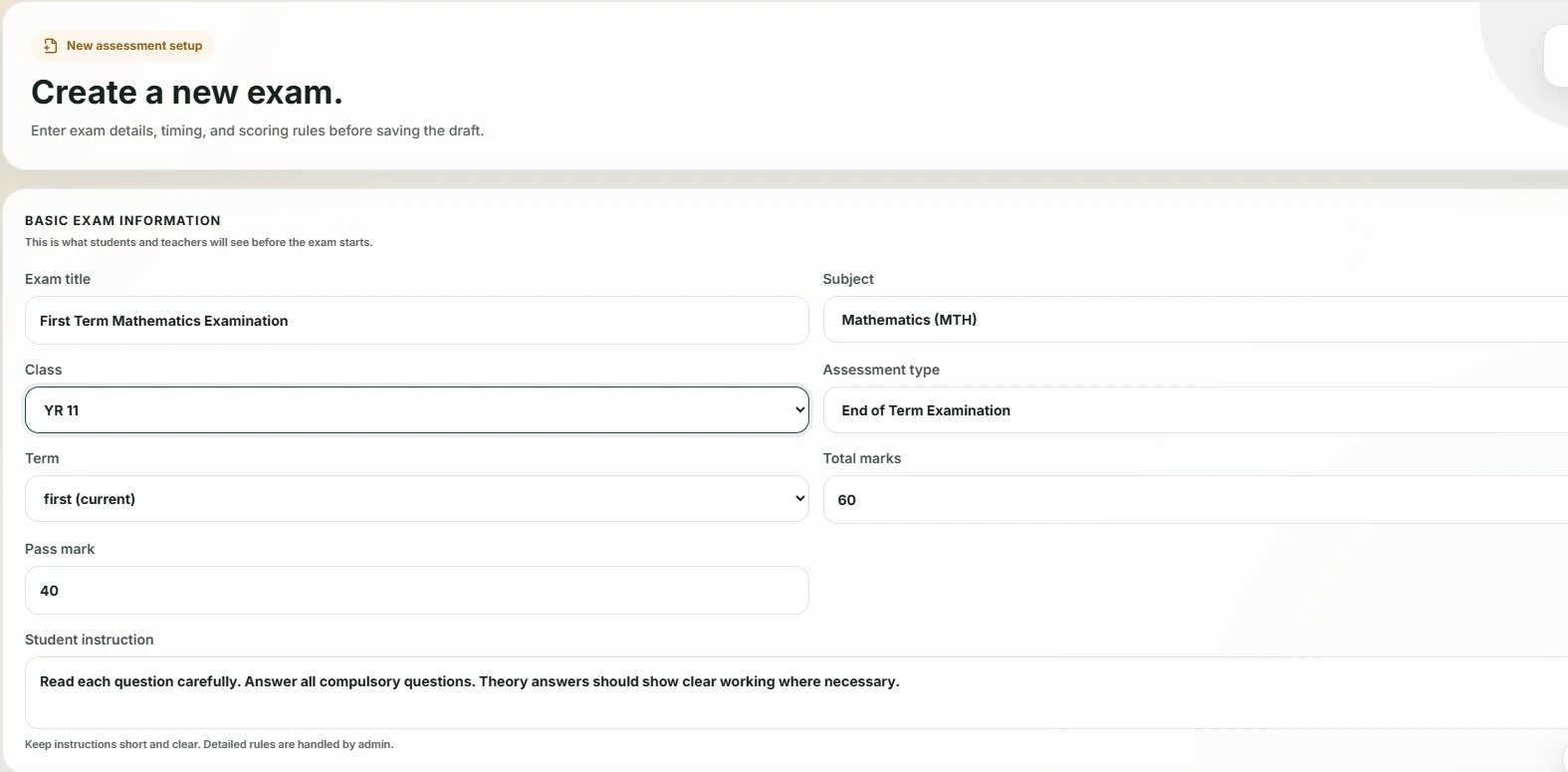
Teachers create objective and theory questions on screen or import a supported Word paper.
Teachers prepare the paper; an authorised administrator controls publication.
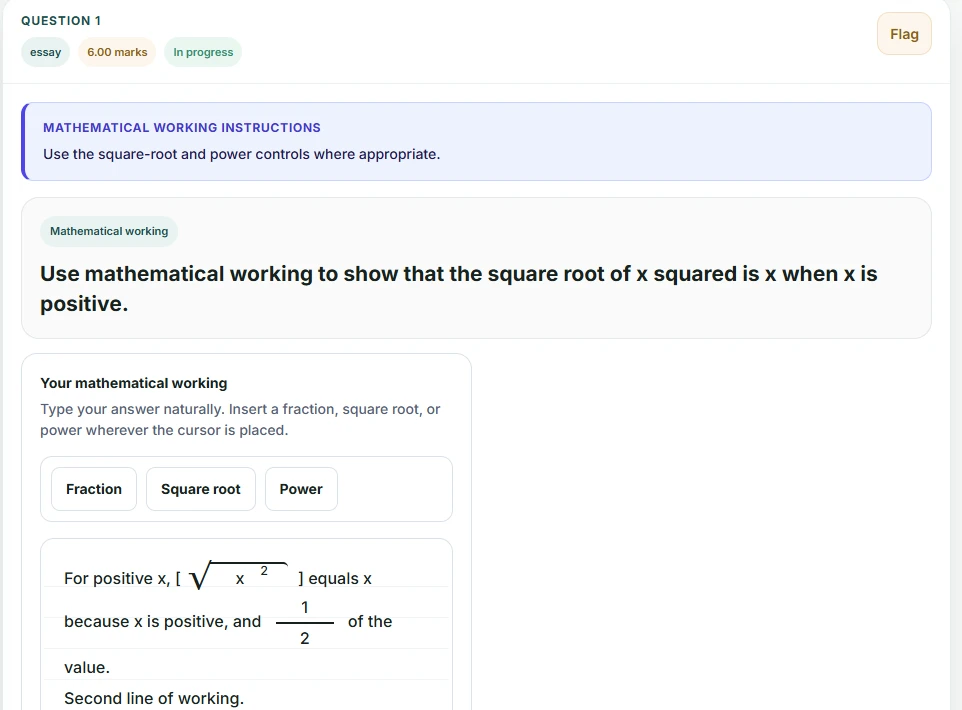
Students sit a structured, timed examination with answers saved as they work.
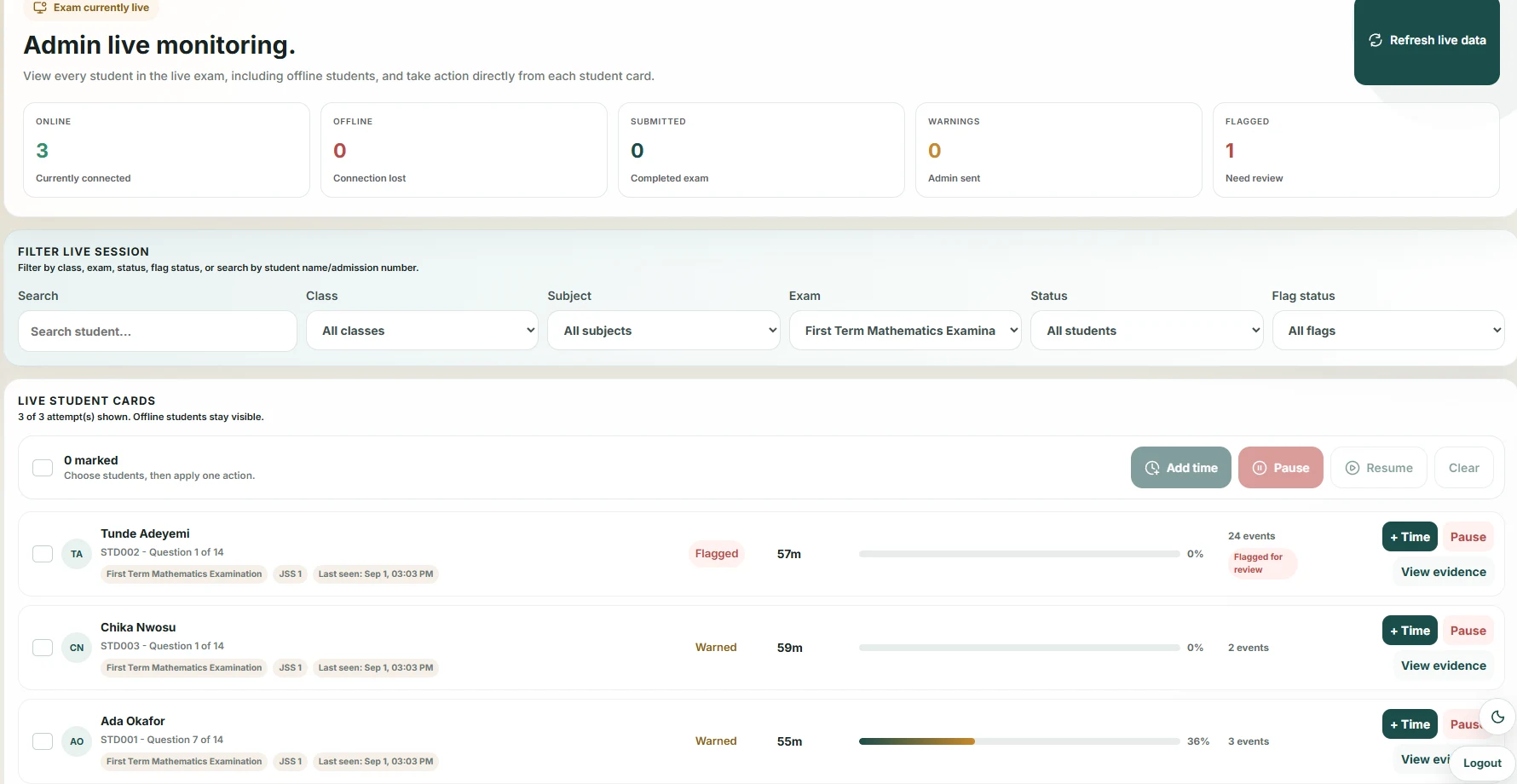
Authorised staff follow progress, connection status and reviewable examination activity.
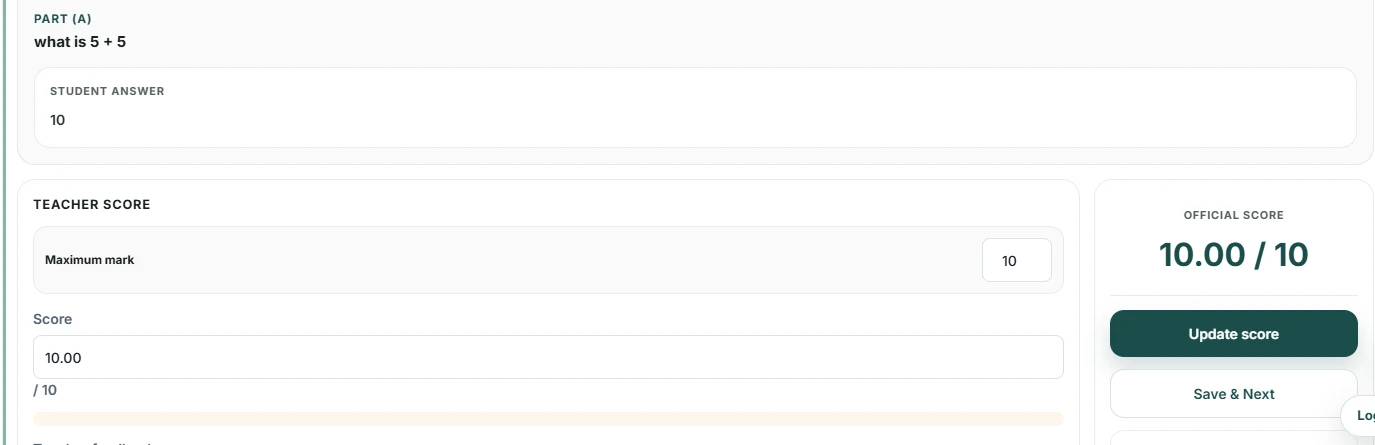
Objective answers are scored automatically while teachers retain control of theory marks.
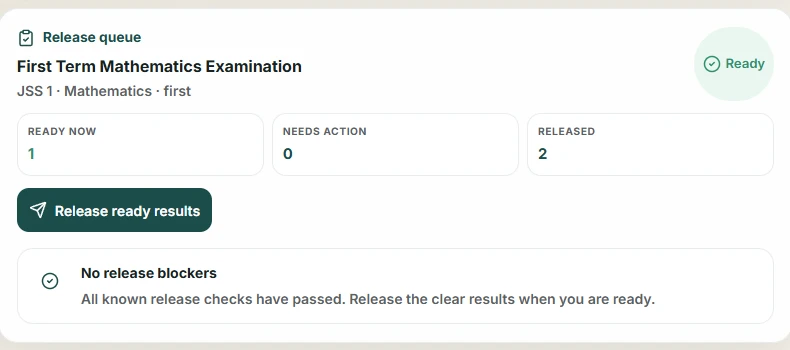
Administrators review readiness and decide when appropriate results become visible.
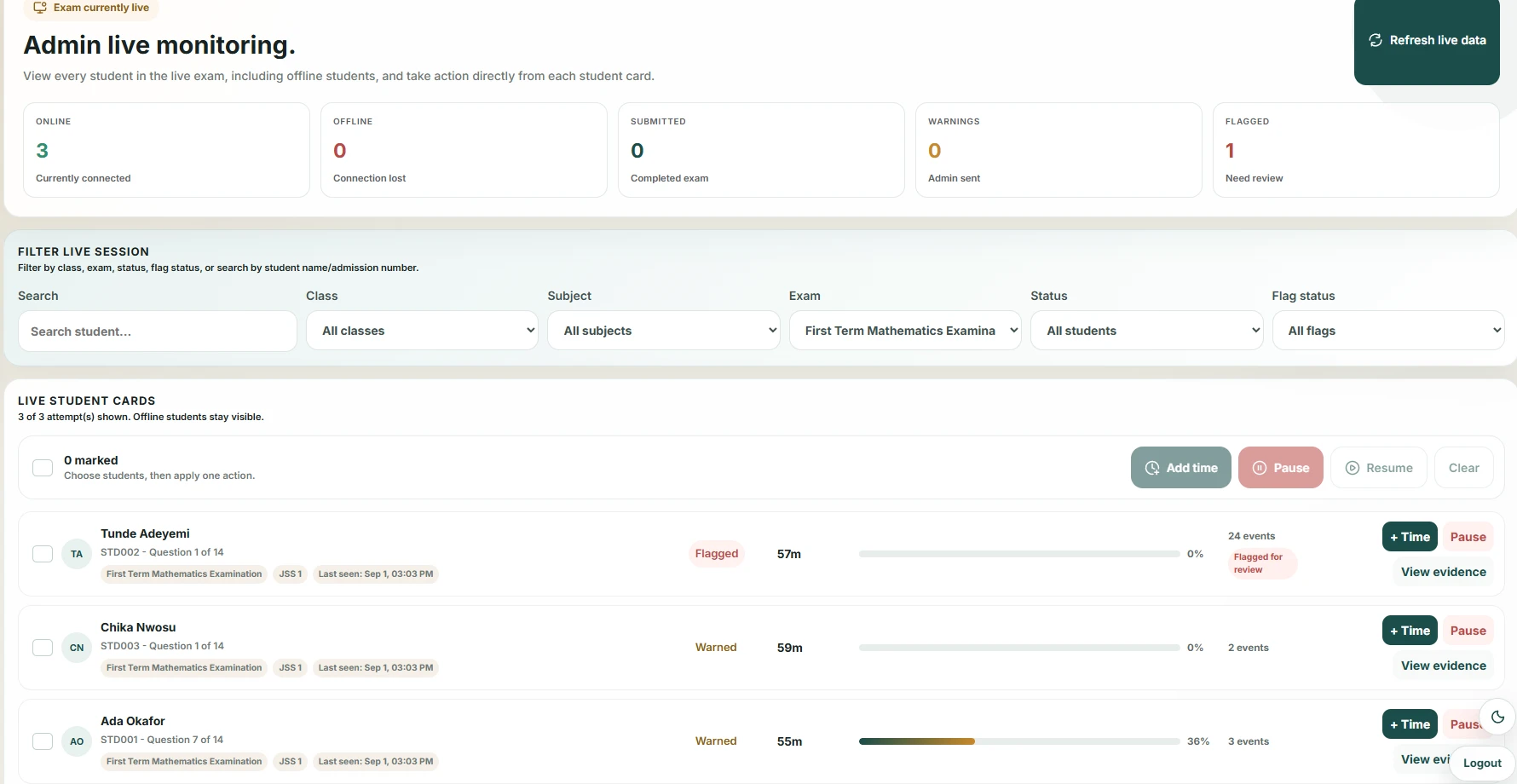
Product evidence · actual Testify interface
Prepare
Conduct
Monitor
Mark
Review
Release
Student continuity
Testify reopens the existing attempt and restores answers already saved to the server. Recent unsent answers can also be retried from that browser.
Exam-day oversight
Authorised staff can follow candidate progress, remaining time, connection status and recorded activity that may need review.
Consistent timing
The official deadline is enforced centrally rather than relying on the clock displayed by each student device.
Review context
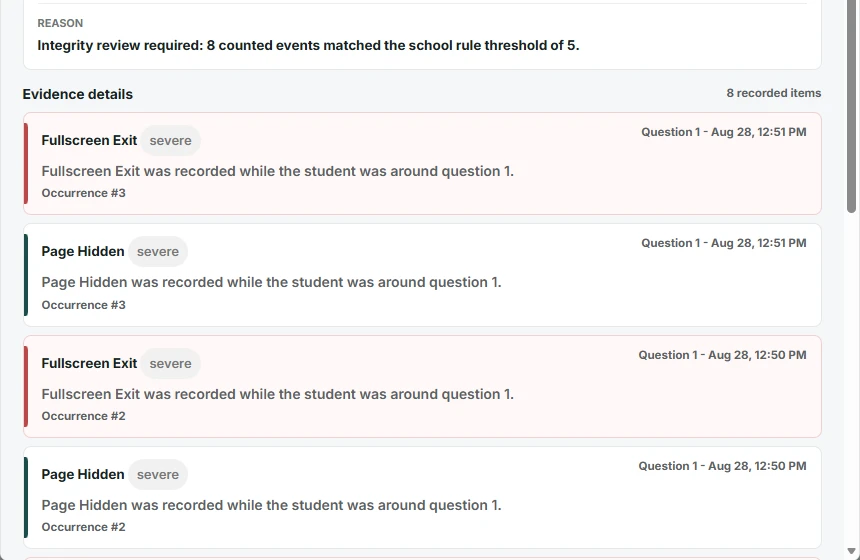
Configured events such as tab changes or fullscreen exits can create an evidence trail for human review; they are not automatic proof of misconduct.
Testify records selected examination activity as context for authorised review. It does not make an automatic finding of misconduct, replace invigilators or remove the need for school policy.
Your CBT should do more than display questions.
Some CBT systems focus primarily on the examination interface. Testify is designed around the wider examination operation—from approval and monitoring to theory marking and controlled release.
Clear answers matter more than absolute promises. These are the practical boundaries your leadership and ICT teams should understand.
Testify is designed to run on the school’s local server and network. Normal student examination activity connects to that school server, so it does not depend on the public internet. Reliable local connectivity is still required.
Testify reopens the existing in-progress attempt and restores answers already saved to the server. It can retry recent unsent answers retained by that browser, but work that was never saved anywhere cannot be guaranteed.
Testify does not replace power planning. The school should provide suitable backup power for the server, network and candidate devices, agree an incident process and rehearse recovery before a live examination.
One staff training session is included. Teachers use role-specific workflows for preparing questions and marking, while a trained school administrator and ICT lead manage the wider environment.
Yes. Administrators review readiness and decide when eligible results become visible. Theory marking, score concerns or examination activity can keep a result under review.
Yes. Supported objective questions can be scored automatically. Teachers award final theory marks; Extended can add assisted suggestions while the teacher retains final control.
There is no per-student licence limit. Practical capacity depends on the school server, local network, devices and power readiness.
Both plans include one staff training session and support. Extended adds Assisted Theory Marking, with teachers retaining control of the official mark.
Testify Core
For schools that want the complete CBT examination workflow.
Examination platform
Also included
Testify Extended
For schools that want the complete CBT workflow plus Assisted Theory Marking. Teachers retain control of the official theory mark.
Examination platform
Also included
We can walk your school through the examination workflow, deployment requirements and the plan that fits your environment.